
Interactive Touch Wall, Table & Kiosk Software
A touch wall is only as good as its software. Thunder Game Studio builds custom applications for large-format touch walls, multi-touch tables and information kiosks that stay responsive under crowds and keep running for years.
Our touch software is installed in museums, experience centres and public venues, from the high-throughput touch walls at Pradhanmantri Sangrahalaya to the ultra-wide heritage wall at the Agrocel Legacy Centre and kiosk networks for state museums and institutions.
What we build
Multi-user touch walls
Several visitors can explore at the same time on LED or projected walls, with no conflicts between hands.
Touch tables
Shared tables for maps, collections and data, designed for groups standing around one surface.
Information kiosks
Self-service kiosks with wayfinding, media galleries and multilingual content.
Projection touch walls
Projected surfaces with touch or sensor triggers that play video, galleries or spatial audio.
Lockdown kiosk shells
Secure single-app shells that block the operating system, auto-start and recover from crashes.
Content management
A CMS for updating content remotely, plus analytics on which content visitors use most.
Who it is for
- Museum and heritage galleries
- Corporate lobbies and experience centres
- Government offices and public venues
- Exhibitions, expos and summits
- Retail and real-estate showrooms
Technology
- Touch overlays & IR sensors
- LED & projection walls
- Windows, Android & Linux
- Unity & web front ends
- RFID, barcode & thermal printers
- Offline caching & watchdog
How we work
- Step 1
Hardware check
We confirm the display, touch technology, PC and mounting so the software is built for the real setup.
- Step 2
UX for crowds
Large targets, fast feedback and multi-user layouts that work for children, adults and groups.
- Step 3
Build & content load
Application development, CMS setup and loading of client media.
- Step 4
Burn-in testing
Long-run testing for stability, memory and touch accuracy before handover.
- Step 5
Remote care
Health monitoring, automatic restarts and remote content updates.
Related projects
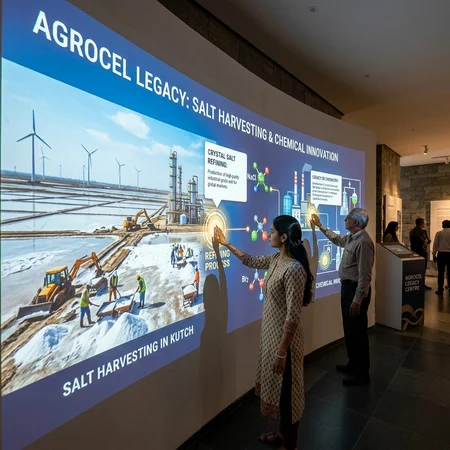
Agrocel Legacy Centre – Interactive Touch Wall
Read case study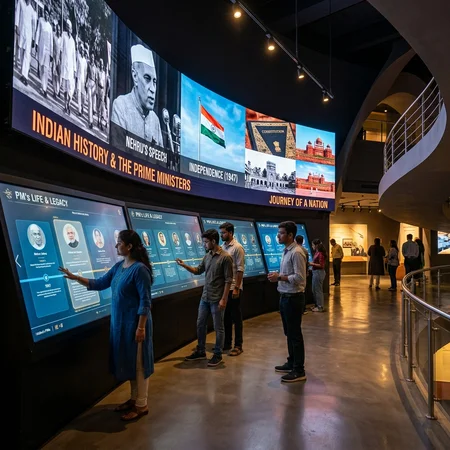
Pradhanmantri Sangrahalaya (Prime Ministers’ Museum)
Read case study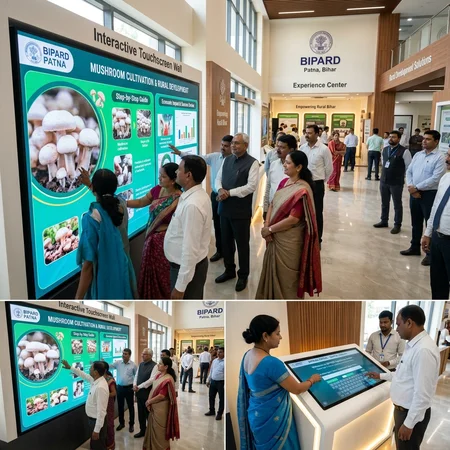
State Museums & Institutional Touch Kiosk Network
Read case studyFrequently asked questions
Which touch hardware do you support?
We build for touch walls on LED and projection surfaces, touch tables and sensor-triggered surfaces, on Windows, Android and Linux kiosks.
How do you keep unattended kiosks running?
Our software includes watchdog processes, automatic crash recovery, scheduled reboots, local caching and remote telemetry, so issues are fixed before visitors notice.
Can several people use a touch wall at once?
Yes. Our touch walls are designed for multiple simultaneous users, each with their own area of interaction.
Can we update the content ourselves?
Yes. A content management system lets your team change media and text remotely without a developer.
Other solutions
Planning a museum or experience centre?
Share your concept, drawings or tender scope. We will suggest what is feasible and how we can deliver the interactive technology.
Contact our team