
Museum Interactive Software & Digital Exhibits
Thunder Game Studio builds the software layer of modern museums: the touch walls, kiosks, audio guides, AR and VR exhibits and the content management behind them. We work from the curatorial story and the exhibition design, then engineer interactives that survive years of daily public use.
Our museum software runs in museums and galleries across India, including Pradhanmantri Sangrahalaya in New Delhi, the LLDC Music Gallery in Kutch, Sri Sathya Sai Museum in Bangalore and the ICCS Digital Museum in Delhi. We usually work as co-technology partner to the turnkey contractor, system integrator or design agency.
What we build
Interactive touch walls & tables
Multi-user touch surfaces for timelines, archives and object collections, on LED or projection.
Multilingual audio guides
Progressive web apps and native apps with offline audio, QR or beacon triggers and language switching, so visitors need no heavy download.
Gesture & motion exhibits
Virtual flip books, rotoscopes, body-tracking reflections and motion-sensor walks that react to visitors without a touch screen.
AR artefact apps
Augmented reality that rebuilds relics and monuments in 3D, with exploded views and stories layered onto real objects.
VR pods & virtual museums
Seated or standing VR experiences and navigable 3D virtual museums, such as the Hampi heritage experience.
Kiosk CMS & remote monitoring
A central dashboard to update content, watch device health and recover crashed exhibits, with offline caching so galleries keep running.
Who it is for
- National, state and city museums
- Heritage sites and interpretation centres
- Memorials and cultural centres
- Corporate and institutional museums
- Science and knowledge galleries
Technology
- Unity & Unreal Engine
- Dataton Watchout integration
- Windows, Android & web kiosks
- Kinect & camera tracking
- BLE beacons & QR
- Meta Quest & PCVR
How we work
- Step 1
Story & brief
We review the curatorial content, gallery layout and hardware plan with the designer or contractor.
- Step 2
Interaction design
Wireframes and prototypes for each exhibit, tuned for dwell time, crowds and accessibility.
- Step 3
Engineering
Software built in Unity, Unreal or web stacks, with hardware integration for sensors, displays and show control.
- Step 4
Installation & commissioning
On-site or remote commissioning, content loading and testing with the AV and civil teams.
- Step 5
Support
Remote health monitoring, content updates and fixes after opening.
Related projects
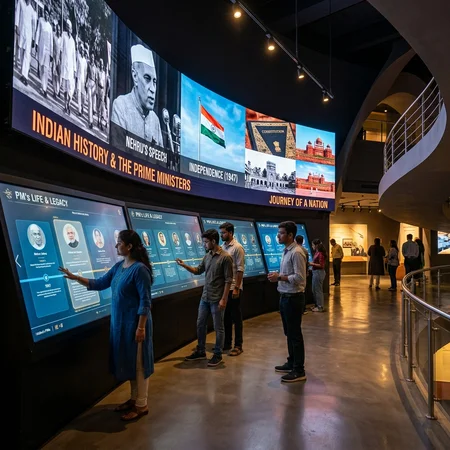
Pradhanmantri Sangrahalaya (Prime Ministers’ Museum)
Read case study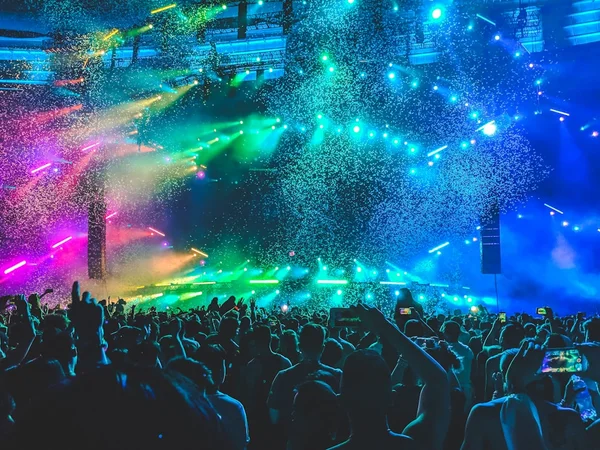
LLDC Music Gallery Museum
Read case study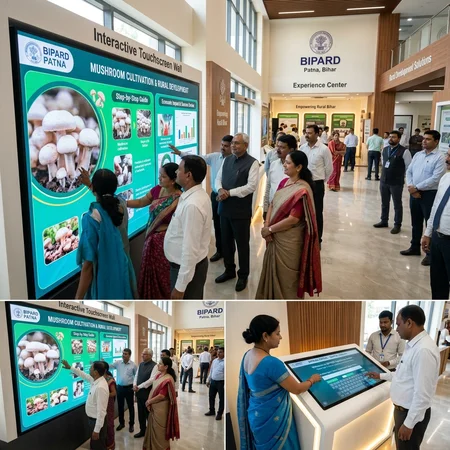
State Museums & Institutional Touch Kiosk Network
Read case studyFrequently asked questions
Do you design the whole museum or only the software?
We focus on the interactive software, digital content engineering and hardware integration. Architecture, exhibition design, fabrication and AV supply are usually led by the designer or turnkey contractor, and we work as their technology partner.
Will the exhibits keep working without internet?
Yes. Our kiosk and exhibit software caches content locally, includes watchdog and crash recovery, and syncs updates when the network is available.
Can visitors use the audio guide in several languages?
Yes. Our audio guides support multiple languages, including English, Hindi, Gujarati and Arabic, with offline playback and QR or beacon triggers.
Can museum staff update content after opening?
Yes. We provide a content management system so staff can change text, images, video and audio without a developer.
Other solutions
Planning a museum or experience centre?
Share your concept, drawings or tender scope. We will suggest what is feasible and how we can deliver the interactive technology.
Contact our team